For UK businesses
An AI receptionist for your business phone
It answers your calls, books callers into your Google Calendar and takes a callback request when it cannot help.
Talk to it now
Ask it anything about Shoreward. It uses your microphone.
Each conversation lasts up to 5 minutes. We keep a written copy for 30 days and never keep the recording. How we use it
What it does on a call
You give it your opening hours, your answers to common questions and a few instructions. It works from those on every call.
Answers in a friendly voice
It opens with your greeting and tells callers it is an AI and that the call is recorded. You choose from four voices.
Answers questions about your business
It answers from your answers to common questions, your instructions, and documents and web pages you add. When it does not know, it says so.
Books callers into your calendar
It asks your qualifying questions, offers the first two free times in your Google Calendar and reads the day, time and address back before it books.
Takes a callback request
When it cannot help, it takes the caller’s name, number and reason, and you get an email straight away.
Hands the call to you
During your opening hours it can pass a call to your mobile or landline when your instructions say so.
Texts the caller afterwards
After a booking or a callback request, the caller gets a text from your business name that sums up the call.
Choose how it answers
Every call
It answers every call to your business at once.
Answer then hand over
It answers first and passes the call to you when your instructions say so.
Missed calls only
Your phone rings as usual, and it answers only the calls you do not pick up.
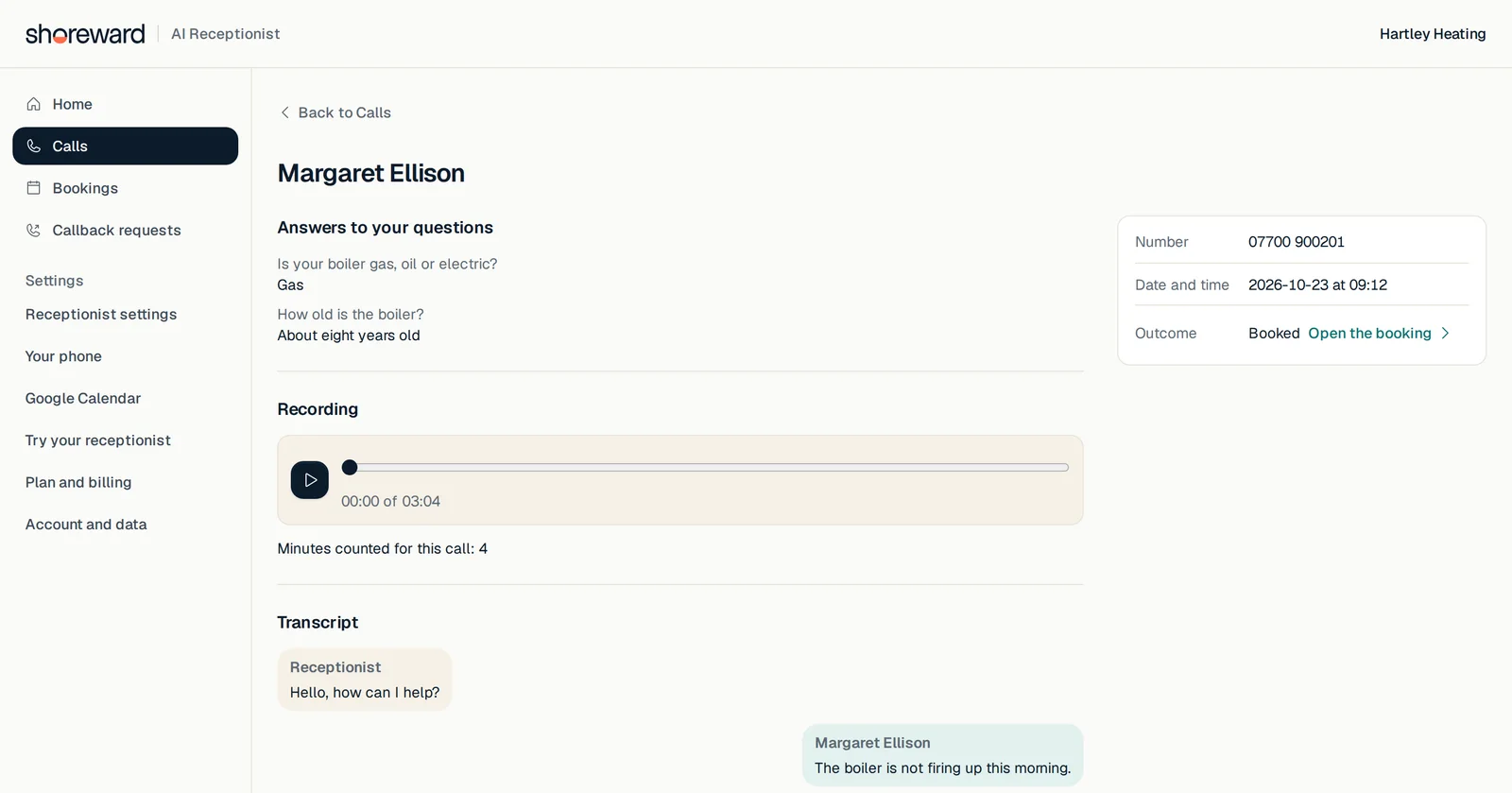
See every call afterwards
Each call is saved with its outcome, the recording and the full transcript, so you can read what was said before you call anyone back.
- Today shows new bookings, callbacks waiting and recent calls.
- Each call shows the caller’s answers to your qualifying questions.
- Up to 10 people who work for you can have their own login.
Set up in eight steps
You can try your receptionist in the browser at step 6, before any call is forwarded.
- 1Your business details and address
- 2Opening hours
- 3Answers to common questions
- 4Greeting and voice
- 5Connect Google Calendar
- 6Try your receptionist
- 7Call mode and handoff number
- 8Forward your line and make a test call
We set up a new local 01 or 02 number for your area, and you forward your own line to it. Our phone provider checks your identity first, which usually takes 48 hours to three business days, and you can try the receptionist on our demo number while you wait.
Prices
There is no monthly fee. You pay once to set up, then only for the minutes your receptionist is on calls.
Free trial
Up to 200 call minutes. No card needed.
7 days
Set up fee
Paid once, plus VAT, when you decide to keep your receptionist.
US$200
Call minutes
Plus VAT, counted by the second. You buy minutes in advance and they never expire.
US$0.30a minute
If your minutes run out, your receptionist keeps answering up to a monthly limit you set, and those minutes are charged to your card at the end of the month. The limit starts at 500 minutes and you can set it anywhere up to 1,000.
Prices are in US dollars. VAT is added at the UK rate.
Join the waitlistQuestions
Do callers know they are talking to an AI?
Yes. The first thing it says on every call is that it is an AI receptionist and that the call is recorded, whatever greeting you write.
Which number do my callers ring?
They ring your usual number. You forward it to the local number we set up for you, and you choose whether every call goes through or only the calls you miss.
What happens when it cannot answer a question?
It tells the caller it does not know and takes a callback request, and you get an email with the caller’s name, number and reason.
Which calendar does it book into?
Google Calendar. It offers times only when your calendar is free, between 2 hours and 30 days after the call.
Does it speak other languages?
No. It speaks British English only, and it works with UK phone numbers.
What happens when the trial ends?
Your receptionist stops answering, and your calls and settings are kept for 90 days. Pay the set up fee in that time and it carries on where it stopped.
How long do you keep calls?
Calls, recordings and transcripts are kept for 12 months. You can delete all of your business data from your account, which also closes it.
Join the waitlist
Shoreward is not taking new businesses yet. Leave your email address and we will tell you when you can set up your receptionist.
Your details on this page
- The conversation runs on ElevenLabs, which turns your speech into text and the receptionist’s words into speech. Your microphone is used only while a conversation is open.
- We keep a written copy of each conversation for 30 days so we can see what people ask and improve the answers. The recording of your voice is not kept.
- If you ask us to get in touch, the receptionist sends your name and the email address or phone number you give to our team by email, and we use them only to reply to you.
- Each conversation ends after 5 minutes.
- If you join the waitlist, we keep your email address, and your name and business name if you give them, in Brevo, the email service we use, and use them only to tell you when Shoreward opens. Write to aukik@storageatlas.co to be taken off the list.